Routine guide
The Sunday Reset: A 15-Minute Weekly Reset Routine
A Sunday reset is not a full day of cleaning and journaling. It is fifteen minutes that decide whether Monday starts calm or chaotic.
The Sunday reset has a marketing problem. Online it looks like a five-hour production: meal prep, deep clean, gratitude journal, face mask, colour-coded calendar. Most people try it once, do not have five hours the following week, and drop it.
The version that survives contact with real life is much smaller. Fifteen minutes, three parts: close last week, plan next week, prepare Monday morning.
Why a weekly reset works
Planning daily is exhausting and planning monthly is too abstract. A week is the unit your life actually runs on — work, family, laundry, training all repeat weekly. Deciding once, on Sunday, removes the small daily negotiation about what to do next, which is where most of the friction lives.
It also gives unfinished things somewhere to go. Instead of an item quietly rotting at the bottom of a list, it gets consciously moved, rescheduled or deleted every seven days.
The 15-minute Sunday reset checklist
Part 1 — Close last week (5 minutes)
- Empty your capture points. Notes app, inbox flags, scraps of paper, screenshots. Move anything that is a task into your planner.
- Tick off what is done. Sounds trivial. It is the part that makes the week feel finished rather than abandoned.
- Deal with the leftovers honestly. Each unfinished task gets one of three verdicts: move it to a specific day next week, park it, or delete it. Nothing stays undated.
Part 2 — Plan the week ahead (7 minutes)
- Look at the fixed points first. Meetings, appointments, training, travel. These decide how much room you actually have — not how much you wish you had.
- Pick three outcomes for the week. Not thirty tasks. Three things that, if they happen, make the week a success.
- Spread tasks across specific days. Two or three per day, next to the fixed points. A day with a long meeting gets one task, not five.
- Leave one day light. Something will go wrong. A deliberately empty day absorbs it without collapsing the plan.
Part 3 — Prepare Monday (3 minutes)
- Decide the first task of Monday. One specific, small, obvious first move. Monday morning should require no decisions.
- Do one physical reset. Clear the desk, set out the gym bag, run the dishwasher. Pick one, not all.
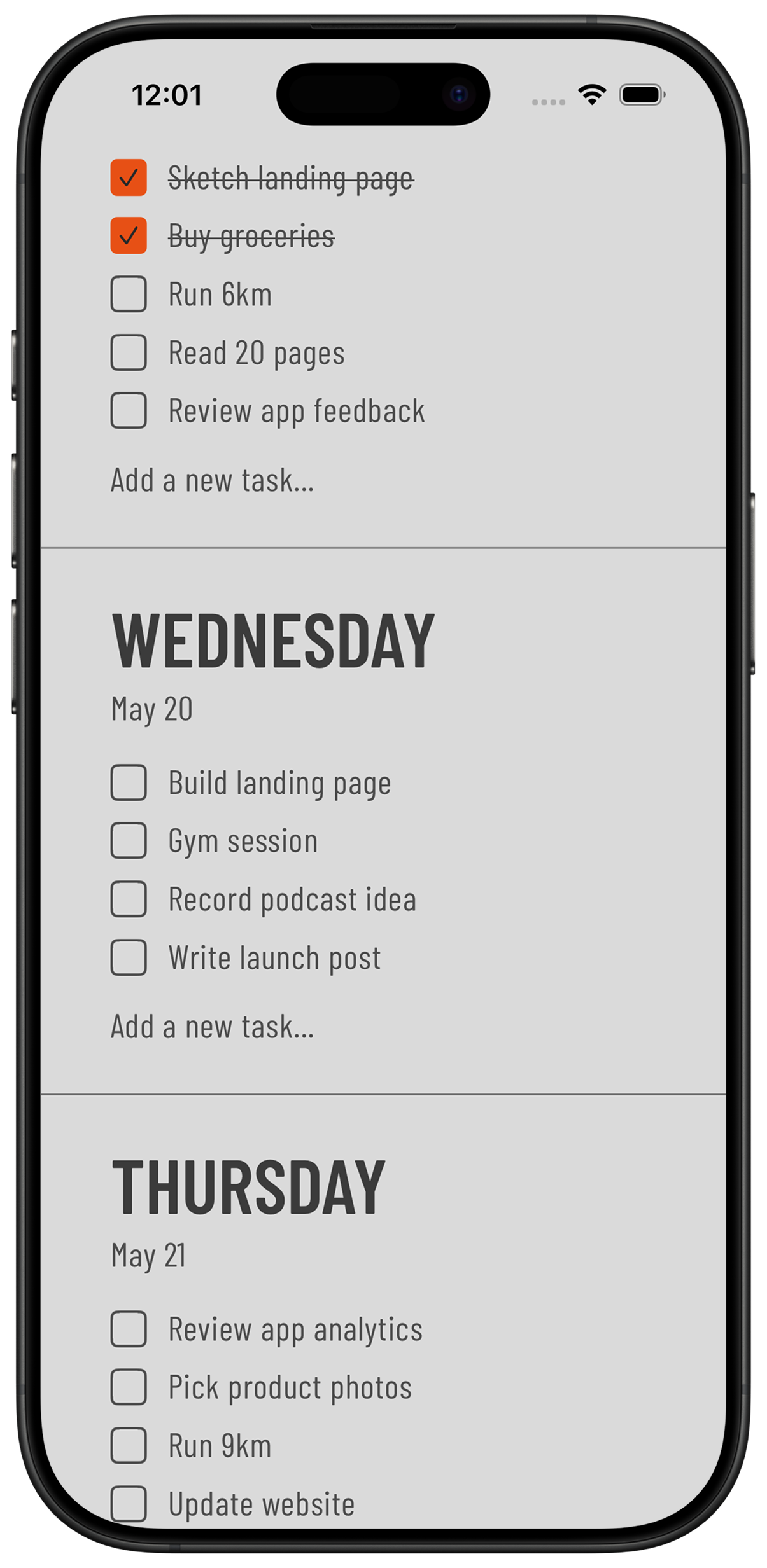
- Check the plan is visible. If your list lives in an app you have to open, put it on your Home Screen instead so Monday starts by glancing, not searching.
Making it stick
- Anchor it to something you already do. Sunday coffee, after dinner, before a show. A reset with no trigger gets skipped.
- Keep the timer honest. Fifteen minutes. If it grows to an hour, you are planning instead of living and you will quit by week four.
- Sunday is not sacred. Friday afternoon or Monday morning work just as well. Consistency beats the calendar.
- Do a bad reset rather than none. Five rushed minutes still beats walking into Monday blind.
Where to run the reset
Paper works. A calendar works if you like scheduling everything by the hour. But most people want something in between: a list that already knows about days.
Tally To Do is built exactly around this routine — the week is seven short day lists, unfinished tasks move to another day in one tap, and Home Screen widgets keep the plan in front of you all week. No account, tasks stay on your device, one-time purchase after a free trial.
Common questions
What is a Sunday reset?
A short weekly routine where you close out the past week, plan the days ahead and prepare Monday morning. A realistic version takes about fifteen minutes rather than a whole day.
How long should a weekly reset take?
Fifteen minutes is enough for most people: five to clear last week, seven to plan next week and three to set up Monday. If it regularly takes over an hour, the routine is too big to keep.
What should be on a weekly reset checklist?
Empty your capture points, tick off what is done, reschedule or delete leftovers, note the week's fixed appointments, pick three outcomes, spread tasks across specific days, and decide Monday's first task.
Does the reset have to be on Sunday?
No. Friday afternoon suits people who want to leave work closed, and Monday morning works if weekends are unpredictable. Pick the slot you can repeat every week.
What if I miss a week?
Start again the next week and do not try to replan the missed one. The routine only fails if a skipped week turns into a skipped month.
Run your reset in one app
Plan Sunday in fifteen minutes and let the widget carry the week. 7 days free, then €4.99 once.
Download on the App Store
Related guides
- Weekly Planner App: How to Plan Your Week in 5 Minutes — the five-minute version of the planning step above.
- To-Do List Widget for iPhone: A Home Screen Setup Guide — keep the plan visible all week on your Home Screen.
- The Ivy Lee Method: A Simple Daily Productivity System — how to pick and order the tasks inside each day.
- ADHD Weekly Planner: A Simple Way to Plan Your Week — a gentler version of the reset if routines are hard to keep.
- Guides